
For your team
Your team runs itself
Finding cover, swapping classes, keeping availability up to date, clocking time, settling pay: with avoo this runs through an app for the team, on the phone and on the computer. Less chasing people, more studio.
Start for freeLet your team try it themselves, 15 days free and no credit card.
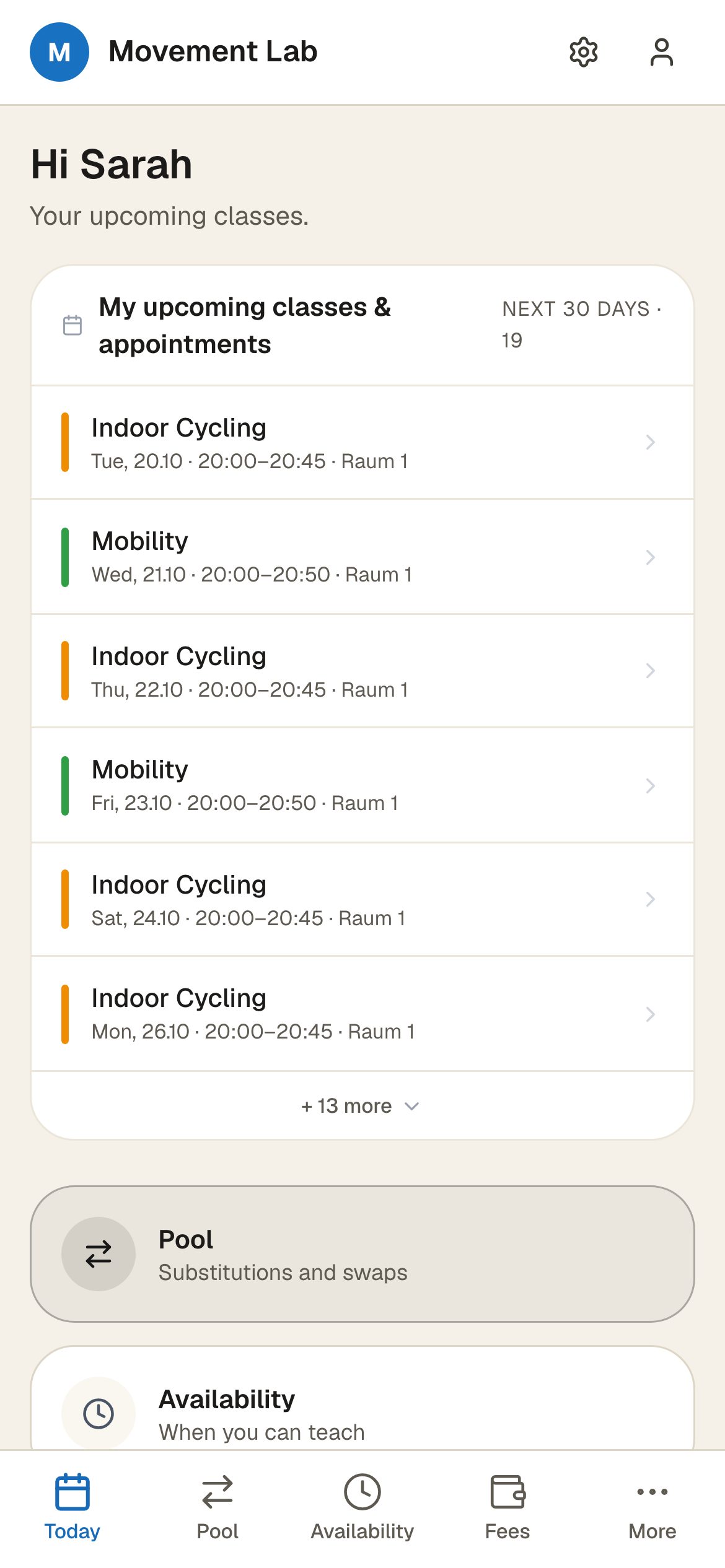
What your team handles on its own
All in one tool, no second app and no WhatsApp group on the side.
The today view
Every instructor sees their day at a glance: their classes, the attendee lists, the check-in. They work independently, with no need to ask the office.
Open pool for free classes
Classes without a fixed instructor go into the pool. Available colleagues see them instantly and pick them up themselves. No more hunting for cover in the chat group.
Shift swaps with a record
Propose a swap right in the app and accept it with one click. Every handover is logged, instead of getting lost in five messages.
Availability and absences
Weekly availability, one-off exceptions and holidays are kept by the team itself. The scheduler sees instantly who can work when.
Scheduling and the duty plan
Plan shifts and the duty roster in one place. The team sees its plan in the app, without you resending it every week.
Time tracking and clock-in
Clocking in, out and breaks, the working-time overview and correction requests run in the same tool as the rest.
Automatic instructor pay
Pay is worked out per activity, appointment or workshop, automatically from the classes held and the attendee numbers. No spreadsheet at month end.
Less office, more studio
Cover, swaps, availability and pay run through the team itself, not through your phone. You run the studio, not the roster spreadsheet, and your team has everything together in one app.
Common questions
Do my instructors need to install anything?
No. The team app runs in the browser, on the phone and on the computer. Each instructor signs in with their own account and sees only what concerns them.
How do instructors find cover?
Open classes go into a pool that all available colleagues can see and pick up themselves. A swap can also be proposed directly and accepted with one click, with a record.
Does avoo settle pay automatically?
Yes. You set pay rules per activity, appointment or workshop, and avoo works out the pay overview per instructor automatically from the classes held and the attendee numbers.
Can staff clock their working time?
Yes. Clocking in, out and breaks is supported, there is a working-time overview, and corrections run as a request through the same app.
Give your team its app.
Sign in to the example studio as an instructor and look at the today view, the pool and the pay overview. Then you can test avoo with your own team.
Start for freeLet your team try it themselves, 15 days free and no credit card.