
Sales, passes & checkout
Sell, collect payment and invoice in one go
Passes, vouchers, shop items and snacks all go through the same checkout and the same payment flow, online and at the front desk, and the money goes straight to your account.
What sales takes off your hands
Everything your studio sells sits in one system, from the pass to the drink.
One basket for everything
Passes, shop items, TakeAway and vouchers end up in one invoice and one payment, at the front desk just like online.
Passes that fit your offer
Class and appointment passes with credits, validity and, if you like, as a subscription. A limit per member controls how often a pass can be bought.
Invoices without manual work
avoo issues numbered invoices as PDF, with the VAT rates and templates you set.
All features for sales, passes and checkout
This is what sales contains, and every feature is included in the base licence.
Class & appointment passes
Passes with credits, validity, subscription option and “max purchases per member”.
Vouchers
Sell, redeem and manage value and pass vouchers, online and at reception.
Web shop
Your own online shop with variants (colour/size), stock, shipping and pickup, right on the studio site.
TakeAway
Pre-order snacks & drinks, pick up and pay at reception, with add-ons per item.
POS / combined sale
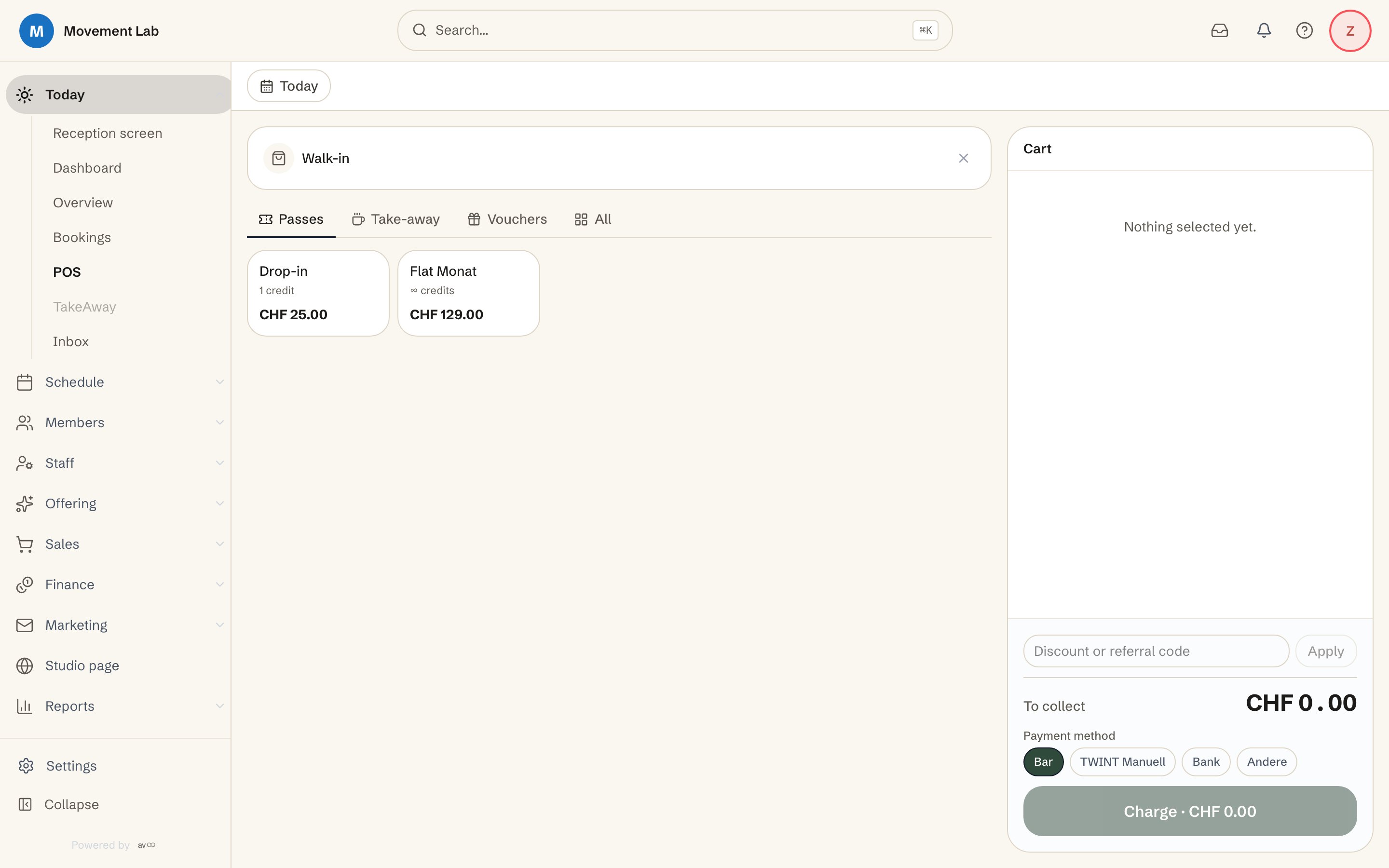
Reception checkout: passes, shop, TakeAway and vouchers on one invoice/payment.
Payments: TWINT, card, invoice
TWINT, credit/debit card and Apple/Google Pay via Stripe or Payrexx, invoice via Stripe, payout straight to your account.
Invoices & VAT
Numbered PDF invoices, configurable VAT rates and templates.
Tarif 595: reimbursement receipt for supplemental health insurance
For Swiss studios: a receipt under tariff 595 for supplemental health insurance, as PDF and XML 5.0, generated from class, appointment and workshop bookings made with a pass. Members download it themselves in their own member area.
Card terminal at reception
Send the card payment straight from the till to the SumUp terminal, tip on the device included, no re-keying the amount.
Appointment credit (prepaid)
Members top up CHF credit, each appointment is deducted automatically, with a minimum top-up and a monthly free cap, ideal for appointment and personal-training studios.
How a sale works
From the offer to the invoice, in five steps.
You decide what you sell.
You create passes with credits and validity, plus vouchers, shop items with variants and stock, and snacks for TakeAway.
The member buys online or at the front desk.
In the web shop on your studio page they buy on their own, at the front desk you sell at the checkout.
Everything goes into one basket.
A pass, a shirt and a drink can be completed in one invoice and one payment.
Payment is by card, wallet or invoice.
Members pay by credit or debit card, Apple Pay or Google Pay, or on invoice. At the front desk the amount goes straight to the card terminal.
The money goes to your account.
The payout goes directly to your studio’s account, and the numbered invoice is ready as a PDF.
Frequently asked questions about sales, passes and checkout
What kinds of passes can I sell?
- Class and appointment passes with credits, validity and, if you like, as a subscription. A limit per member sets how often a pass may be bought.
Can I sell vouchers?
- Yes. You sell, redeem and manage value vouchers and pass vouchers, online and at the front desk.
Does avoo have its own web shop?
- Yes. The shop runs right on your studio page, with variants such as colour or size, stock, shipping and pickup.
How does the checkout at the front desk work?
- At the checkout you sell passes, shop items, TakeAway and vouchers in one invoice and one payment. You send card payments straight to the card terminal, and the tip is entered on the device too, without retyping the amount.
How do members pay?
- By credit or debit card, Apple Pay or Google Pay through your payment provider, or on invoice. The payout goes directly to your account.
Does avoo issue invoices with VAT?
- Yes. avoo issues numbered invoices with a PDF. You configure the VAT rates and the templates yourself.
Can I charge appointments against a balance?
- Yes, with appointment credit. Members top up a balance, and each appointment is deducted automatically. It suits studios with one-to-one appointments and personal training in particular.
Sell everything through one checkout
Set up your studio yourself and create your first pass, without a sales call.